Managing FUSE and Hub devices
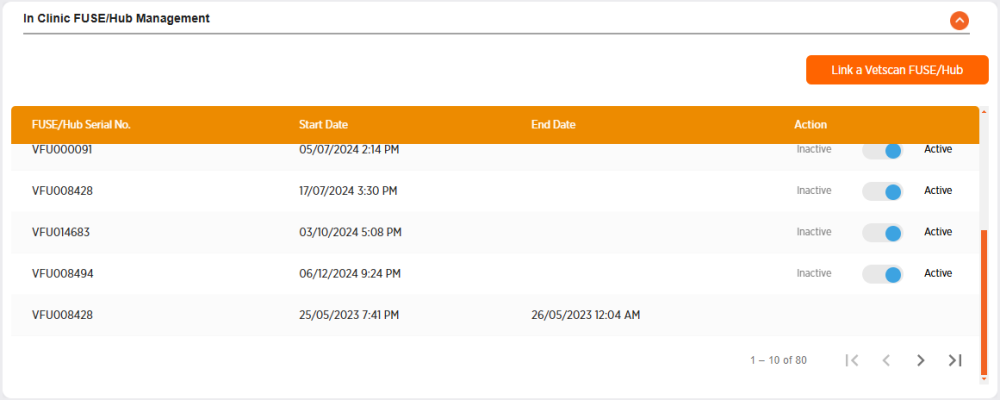
You can view your clinic's
-
The Start Date is the date from which all available results for the device will be visible in ZoetisDx.
-
The End Date is the last date the device was connected to ZoetisDx. A default date of 1/1/1990 will be assigned the first time a device is linked.
Adding a Vetscan FUSE or Hub
Follow these steps to add a Vetscan FUSE or Hub.
-
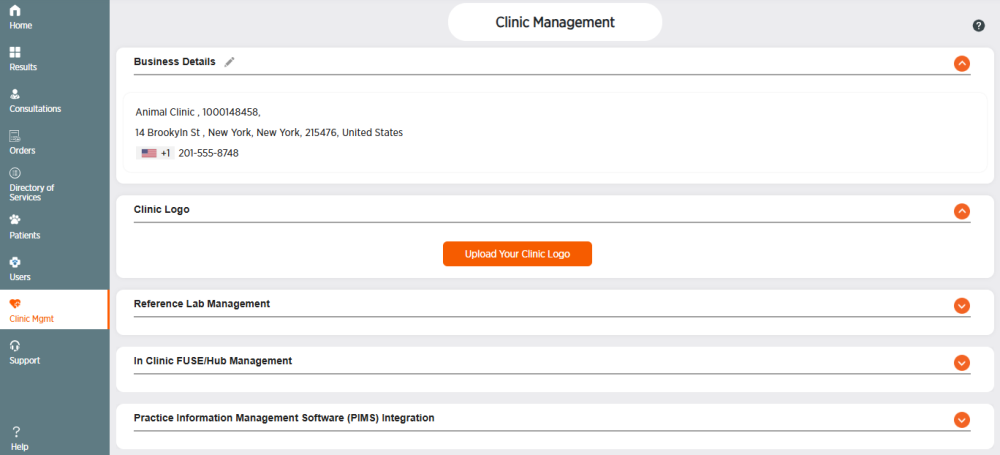
Choose Clinic Mgmt from the side menu.
-
Click
 in the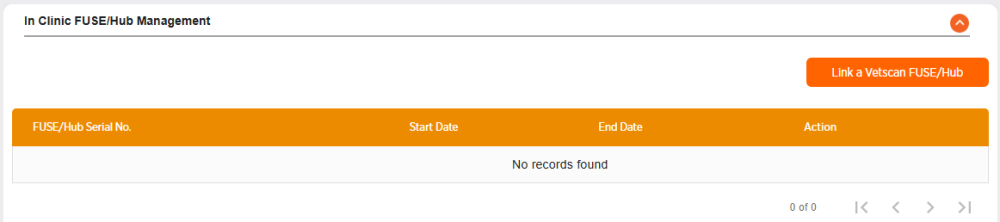
-
Click
-
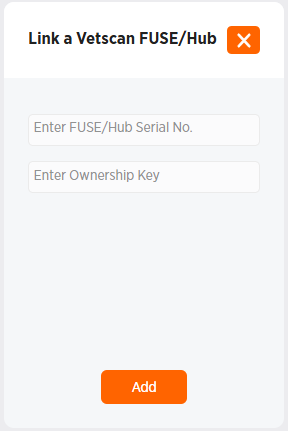
Enter the
-
Click Add to add the
Setting a Vetscan FUSE or Hub device to inactive
Note: Clinics will only have access to results from the Vetscan FUSE or Hub device from the Start Date to the End Date that the device was linked to the clinic. Deleting a FUSE is not currently an option to ensure that no clinic data is lost.
Follow these steps to unlink a Vetscan FUSE or Hub device from a clinic and set it to Inactive:
-
Choose Clinic Mgmt from the side menu.
-
Click the expand icon
in the -
Locate the device ID in the list under In Clinic Device Management.
-
Click
 to set the device to Inactive.
 -
Click Continue to inactivate the FUSE/Hub, or Cancel to exit without inactivating.
-
Choose the date on the calendar that the device became inactive.
-
Click Submit.
-
Click Close.