Changing your language, time, date, and notification preferences
Follow these steps to edit your account display preferences.
-
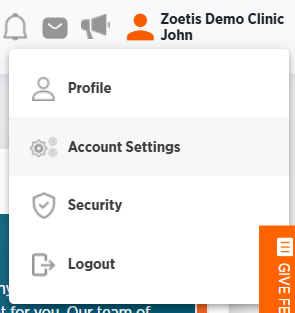
Click your name from any page in ZoetisDx.
-
Choose Account Settings.
-
Click Edit in the Edit Preferences section.
-
Make any necessary changes.
-
Language changes the default language for ZoetisDx.
-
Time Zone specifies your time zone.
-
Date Format specifies the date format that you want to see when using ZoetisDx.
-
24-Hour Time gives you the option to use the whole 24 hours or split the day into AM and PM 12-hour intervals.
-
Notifications allows you to set your notifications to include all clinic results or just your patients.
-
-
Click Save, or Cancel to exit without saving.