Giving Feedback
We appreciate your feedback on ZoetisDx. Follow these steps to give feedback.
-
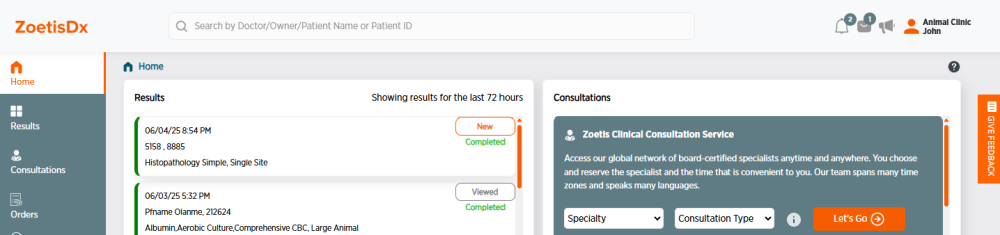
Click Give Feedback at the right side of the page. A survey form will open on the right side of the page.
-
Fill out the survey form as desired. Fields marked with a * are required.
-
Click
 to go through the survey pages.
 -
If you would like to be contacted regarding your feedback, answer Yes to "May we contact you regarding your submission?" and include your contact information.
-
Click Submit on the last page when you are ready to submit your feedback. To exit without submitting feedback, click Give Feedback to close the form.