Filtering orders
Follow these steps to filter orders.
-
Click Orders in the side menu.
- Use the Filters section on the right side of the page to enter or choose your filters.
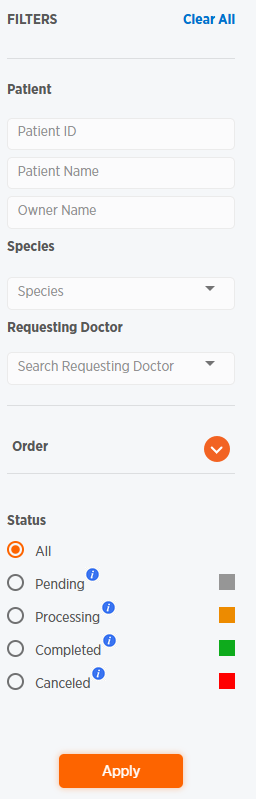
- To filer by Order/Accession ID or Order Creation Date, click
 .
.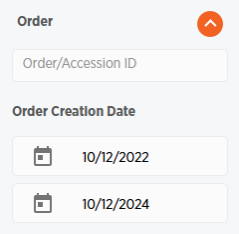
- To filer by Order/Accession ID or Order Creation Date, click
- Click Apply to apply your filters to the orders displayed on the Orders page.
- To clear your filters, click Clear All at the top of the Filters section.