Viewing your VS2 rotor credit history
Follow these steps to view your VS2 rotor credit history.
Note: If you are located in a region that does not yet have VS2 rotor credits support, you will not see this area in ZoetisDx.
-
Choose Support in the side menu.
-
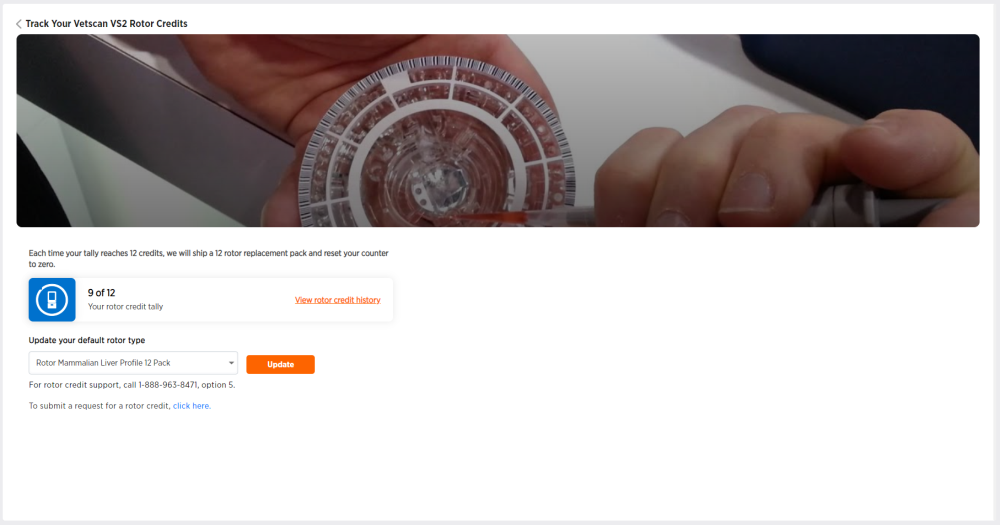
Click VS2 Rotor Credits.
-
Click View rotor credit history.

This page displays your rotor credit history in descending order from Rotor Credit Failure Date.
Column Descriptions
| Column Name | Description |
|---|---|
| Case Number | Case number of rotor credit failure |
| Rotor Credit Failure Date | Date and time of rotor credit failure |
| Serial Number | Serial number of rotor type |
| Rotor Type | Name of rotor type |
| Rotor Lot# | Lot number of rotor(s) |
| Error Code | Error code and brief description of rotor credit failure |
| Rotor Credits | Number of rotor credit(s) |
| Case Origin | Device origin of case (e.g., phone) |