Submitting a request for a VS2 rotor credit
You can earn credit towards a box of new rotors by reporting test errors on your VS2 within 30 days following the error date in the report. For more details, see the Vetscan VS2 rotor performance guarantee.
Follow these steps to submit a request for a VS2 rotor credit.
Note: If you are located in a region that does not yet have VS2 rotor credits support, you will not see this area in ZoetisDx.
-
Choose Support in the side menu.
-
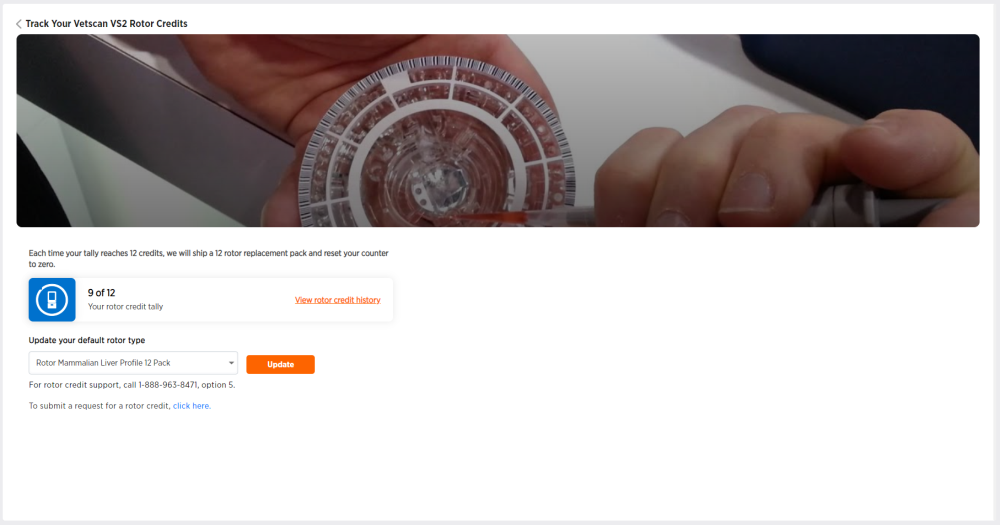
Click VS2 Rotor Credits.
-
Click on "click here" at the end of "To submit a request for a rotor credit, click here," to go to the VS2 Rotor Request page.
-
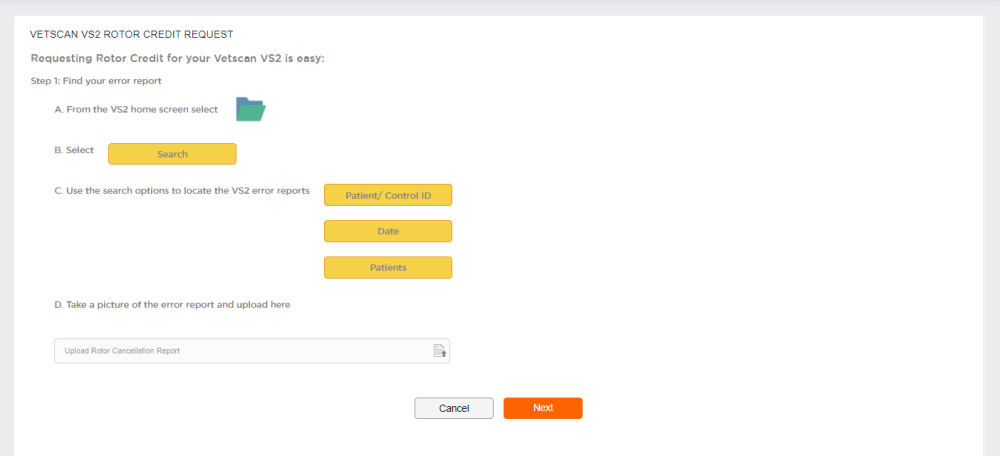
Follow the instructions in steps A, B, and C to find the error report using your Vetscan VS2 screen.
-
Take a picture of the error report with your phone and save it to the device you are using to access ZoetisDx.
-
Click Upload Rotor Cancellation Report to select and upload the picture.
-
Click Next to continue to Step 2 or Cancel to exit without submitting.
-
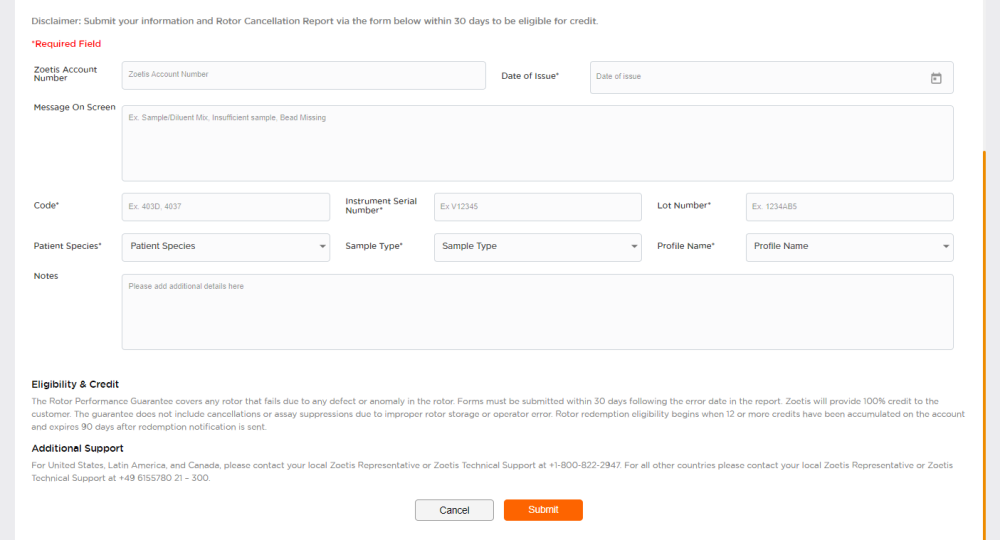
Fill in the information specific to your rotor failure in the form. All fields marked with * are required.
-
Click Submit or Cancel to exit without submitting.