Marking tests as favorites
You can mark tests as favorites in the Directory of Services page so that you can find them easily by selecting Favorites to filter.
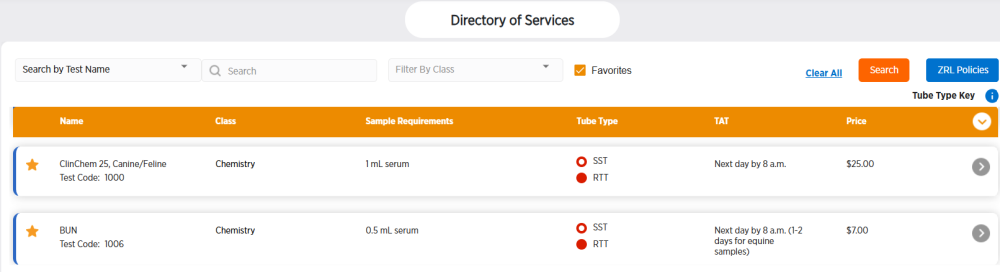
Marking a test type as favorite
Follow these steps to mark a test type as a favorite.
-
Choose Directory of Services in the side menu.
-
Click
 to the left of a test type.
 -
The star will turn solid orange once a test is marked as a favorite:
 .
.
Removing a favorite marking from a test type
Follow these steps to remove a test type as a favorite.
-
Choose Directory of Services in the side menu.
-
Click
to the left of a favorite test type. -
The star will turn solid white with an orange outline once the favorite marking is removed:
.