Creating an order from a patient's information
Follow these steps to create an order when viewing a patient's information.
-
Click Patients in the side menu.
-
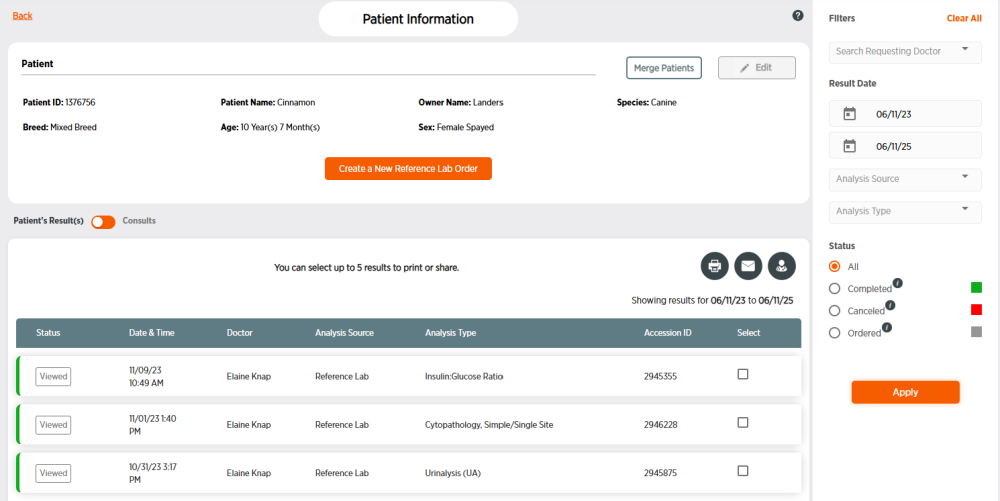
Click the Patient ID number for the patient. You may need to filter patients to find the correct patient.
-
Click Create a New Reference Lab Order.
-
Follow the steps in creating a new order. The Doctor ID and Pet & Owner Details from the patient's information will automatically be placed into your new order for you.