Editing patient information
Follow these steps to edit patient information.
-
Click Patients in the side menu.
-
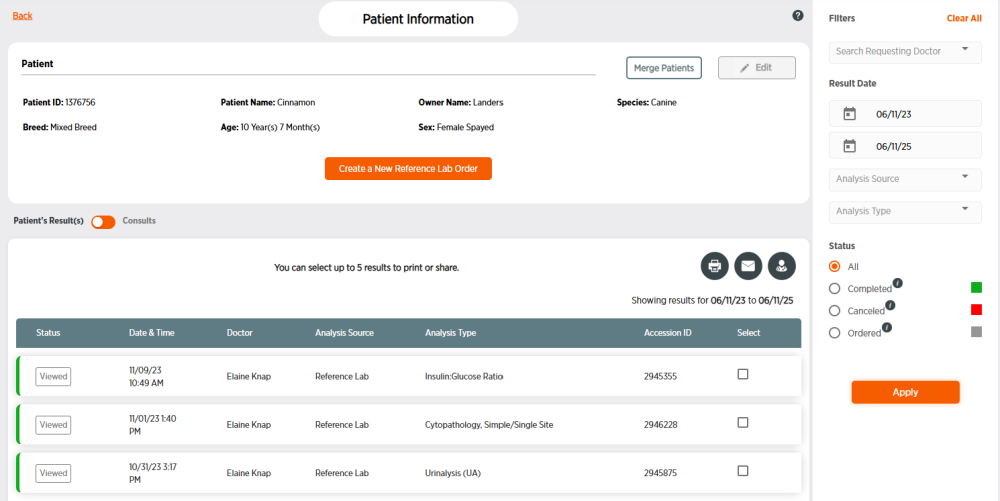
Click the Patient ID number for the patient. You may need to filter patients to find the correct patient.
-
Click Edit in the upper-right of the patient information.
-
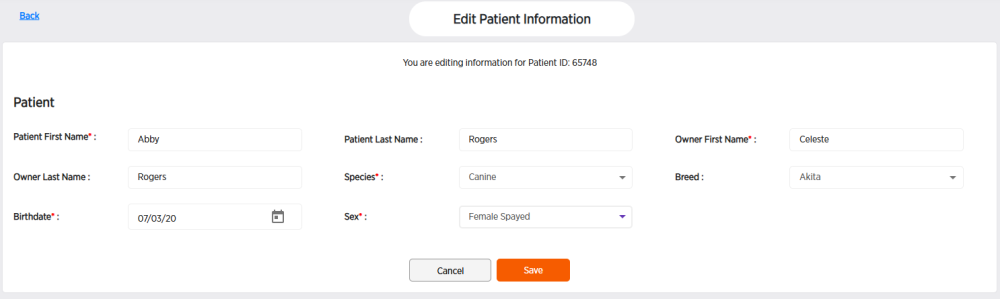
Change patient information as desired. Fields with a * are required.
-
Click Save.
-
Click OK.