Filtering a patient's test results
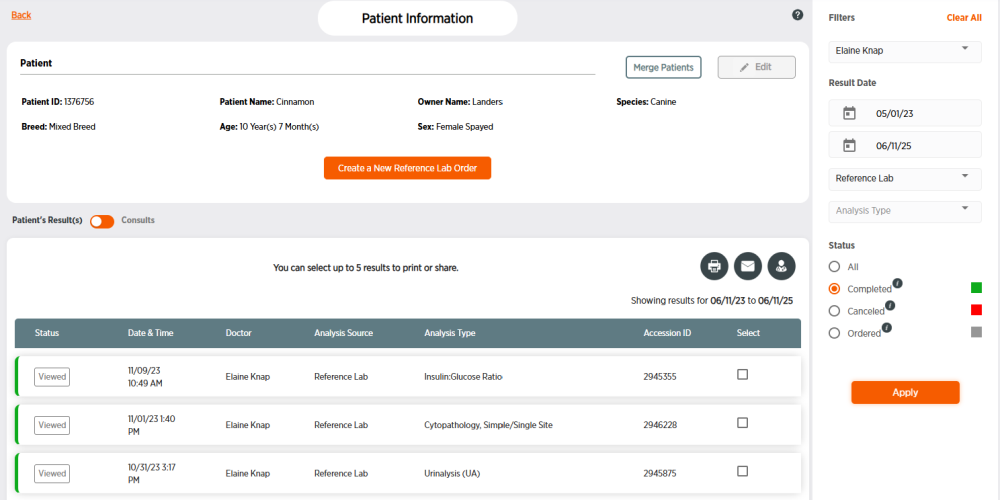
Follow these steps to filter a patient's results.
Note: The date range for the patient test result search defaults to the last 2 years. If you want to search for older results, you will need to change date in the start calendar to an earlier date.
-
Click Patients in the side menu.
-
Click the Patient ID number for the patient. You may need to filter patients to find the correct patient.
-
Enter desired search criteria.
-
Choose a Doctor, Analysis Source, Analysis Type, and/or Status.
-
Click on the top calendar to choose a start date for results, and/or the bottom calendar to choose an end date for results.
-
-
Click Apply. To remove filters, click Clear All.