Viewing all consultations
There are two ways to view all consultations.
Method 1 - From the Home page:
-
From the Consultations area of the Home page, click See All Consultations.
Method 2 - From the Consultations page:
-
Click Consultations in the side menu.
-
Below the Pending Consultations section, click View All Consultations.
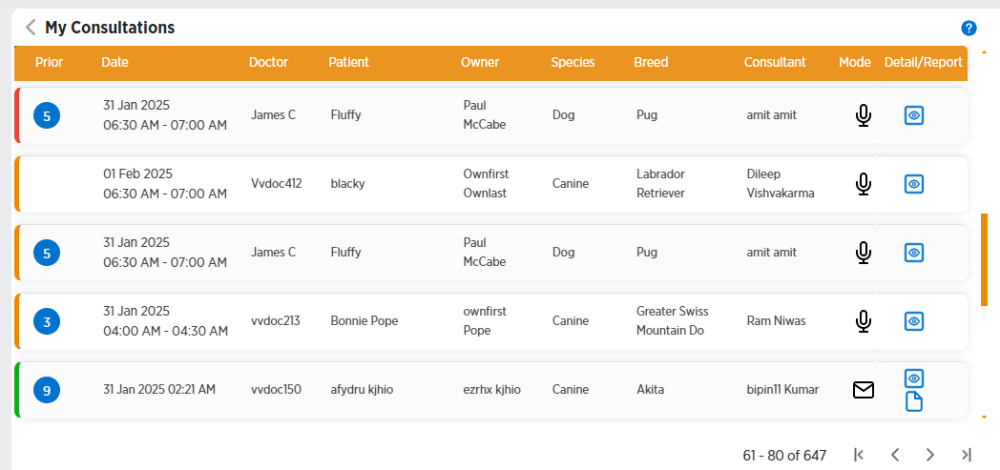
All your pending and recent consultations will be displayed. You can filter consultations from this page.
-
Pending consultations will have an orange bar on their left. Completed consultations will have a green bar. Canceled consultations will have a red bar.
-
In the Prior column, the number in the blue circle shows the number of prior consultations.
-
The Mode column shows the type of consultation:
-
 is a Zoom video consultation
 -
 is a Zoom audio consultation
 -
 is an email consultation
-
-
Click
 to view the consultation details.
 -
Click
 to view the consultation report for completed consultations.
 -
Click
 to the left of My Consultations at the top of the page to go back to the Consultations page.