Viewing emails sent to customers
The Communication Center displays result emails sent to customers in the last 60 days. You can access the Communication Center from most pages in ZoetisDx by following these steps.
-
Click
 .
.
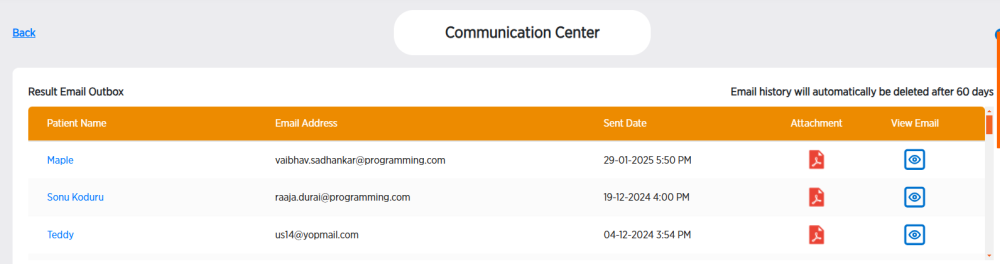
From the Communications Center, you can:
-
Click the Patient Name to view patient information.
-
Click
 to download the results attachment emailed to the customer.
 -
Click
 to view the email sent to the customer.