Start a follow-up for a recent consultation
Follow these steps to schedule a follow-up consultation for a recent consultation. If you want to schedule a follow up for an older consultation, see Scheduling a follow-up consultation.
-
Click
 in the Consultations area of the Home page.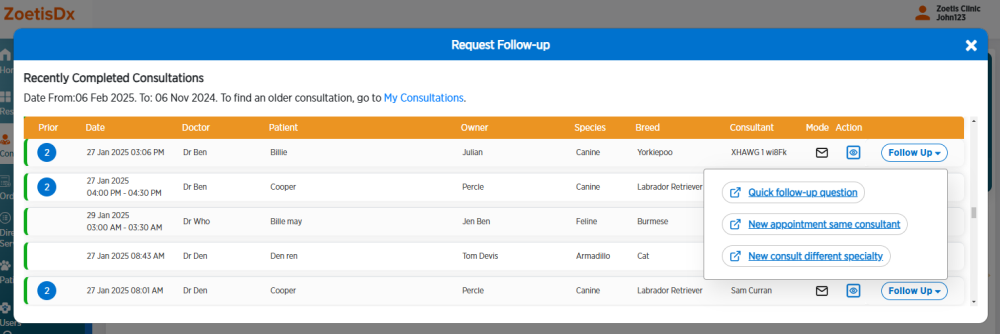
-
If you need to review consultation information, click
 to view consultation details.
 -
Click Follow-Up and choose a type of follow-up.
- Follow-up email (for quick questions)
-
Follow-up consultation with the same specialist (for more complex questions)
-
Follow-up consultation with a new specialist (for a different specialist)
For assistance filling out the follow-up consultation information, see Starting a follow-up consultation.